SurveyMonkey
Privacy controls people can actually use
Cookie consent, email preferences and profile deletion for GDPR, then a self-serve way for customers to move their data to the EU.
- Problem
- GDPR gave SurveyMonkey a few months to ask before setting cookies, let people choose which marketing emails they got, and let them remove their personal data. Later, European customers also wanted to know where their survey data lived and how to move it.
- My role
- Product designer, then senior product designer. I designed the cookie consent, email preference and profile deletion flows for GDPR, tested a second version of the preferences page, and designed self-serve migration to the EU data center.
- Key decisions
- Grouped email preferences by what each email is rather than by internal list names, with a one-click path from any marketing email.
- Confirmed each unsubscribe and moved the update button to the top, based on testing with five people.
- Let customers schedule their own data migration, and explained every step of the downtime in plain words.
- Outcomes
- Compliant by the May 2018 deadline, with cookie, email and profile deletion controls in place. Self-serve EU migration was designed for individual, Teams and Enterprise accounts. I left before it launched.
Context
Product Designer, then Senior Product Designer · 2018–2019
Services: Interaction design · UX writing · Pattern research · Usability testing · Transactional email · Localization
Typeface: National 2
In early 2018, SurveyMonkey had a few months to meet GDPR before the May 25 deadline. For people in the EU that meant three things the product didn't do well yet: asking before setting cookies, letting people choose which marketing emails they got, and letting them remove their personal data. Later that year a second question followed: where does my data actually live, and can I move it?
Consent that's honest
The legal requirements were clear. The patterns weren't. Consent banners at the time ranged from a polite notice to a wall of text with one button, and unsubscribe pages often made opting out harder than opting in. I wanted the compliant version to also be the honest one.
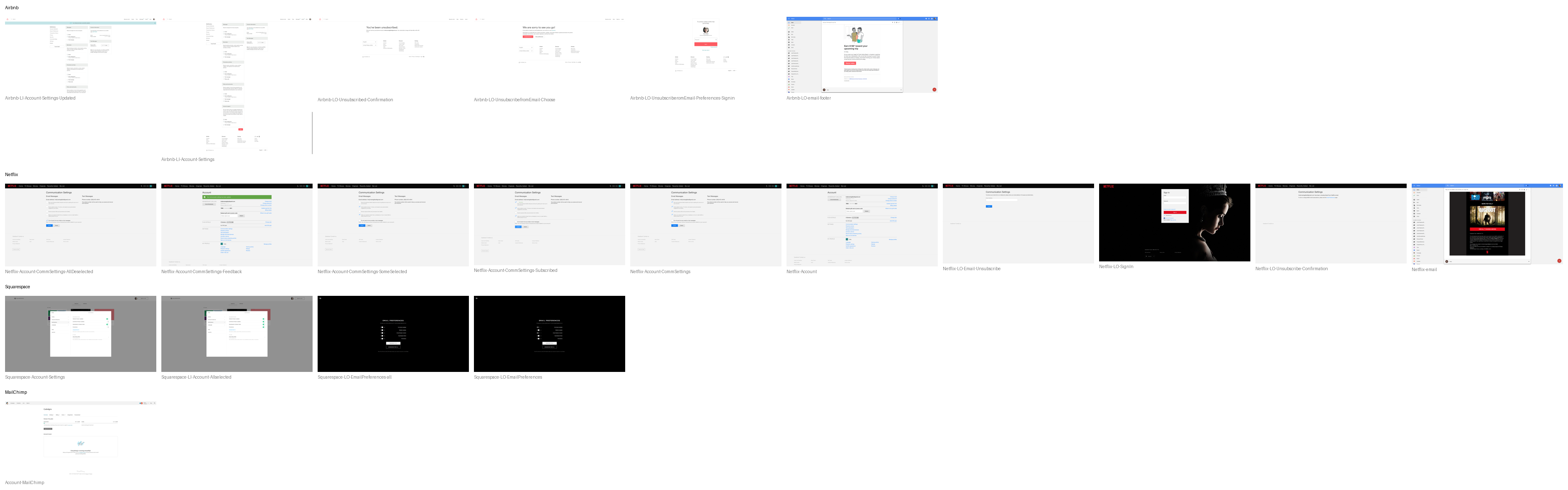
I started by collecting the unsubscribe and email-preference flows from Airbnb, Mailchimp, Netflix and Squarespace, and marking where each one made people sign in, guess or start over.
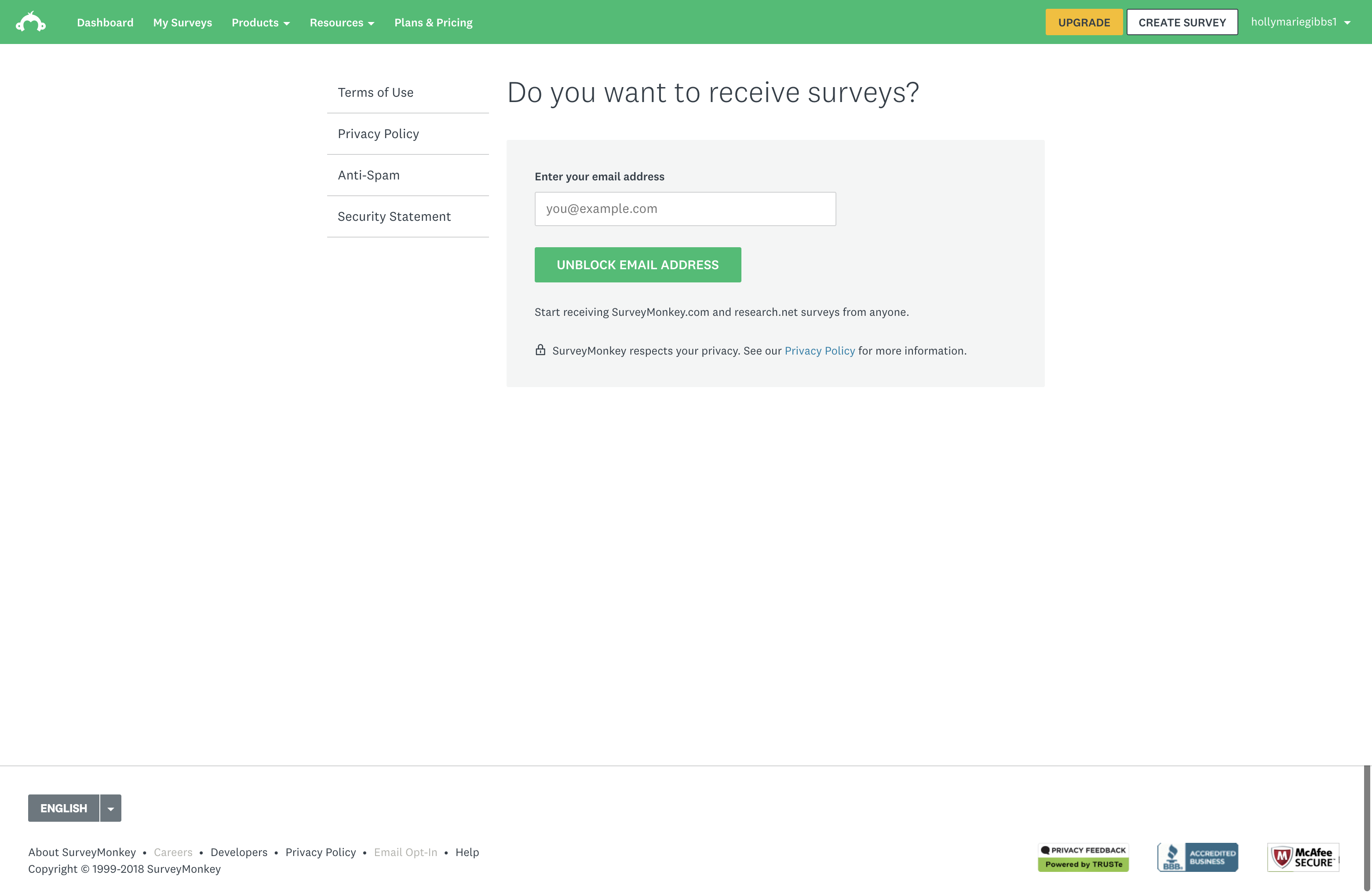
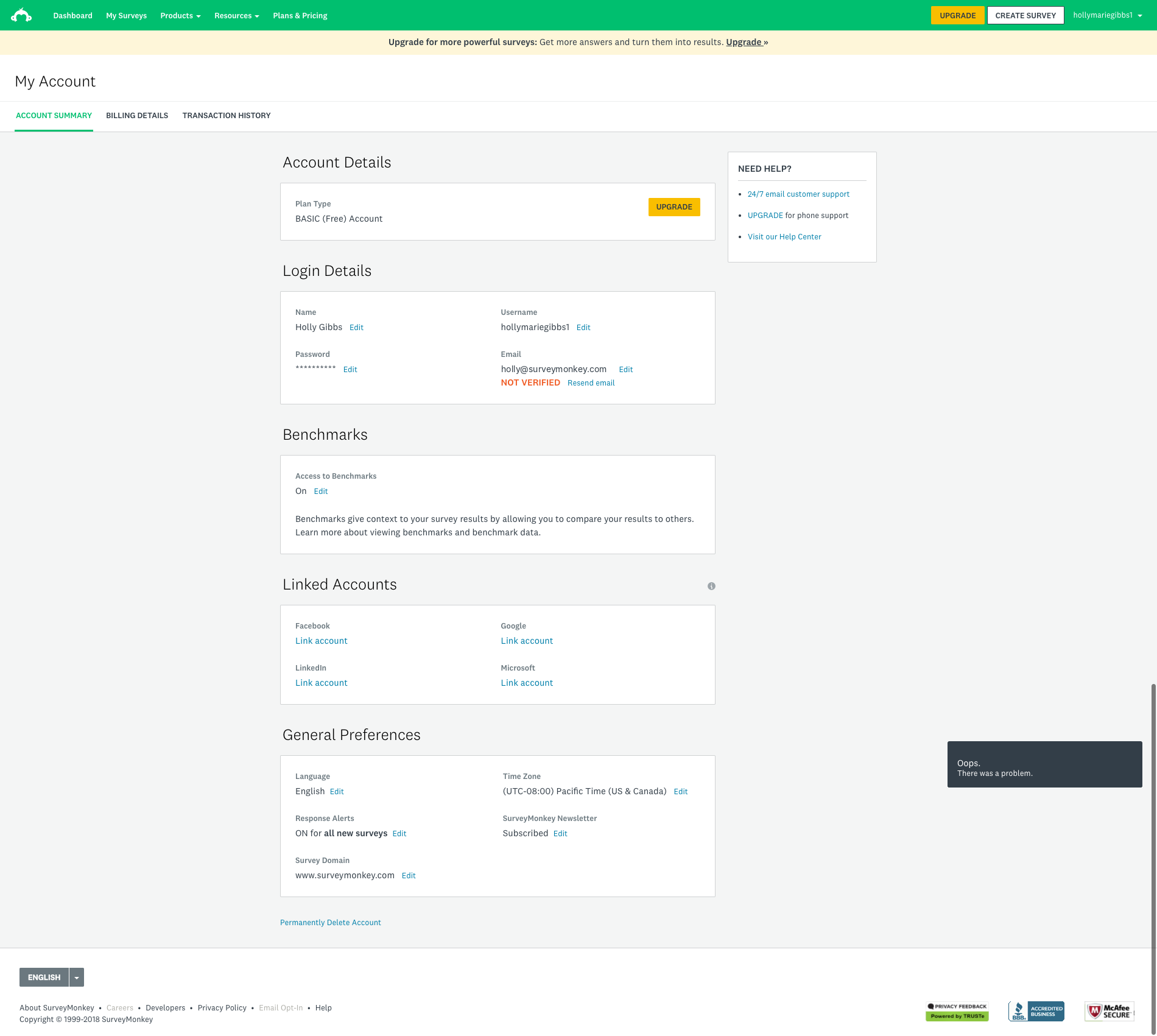
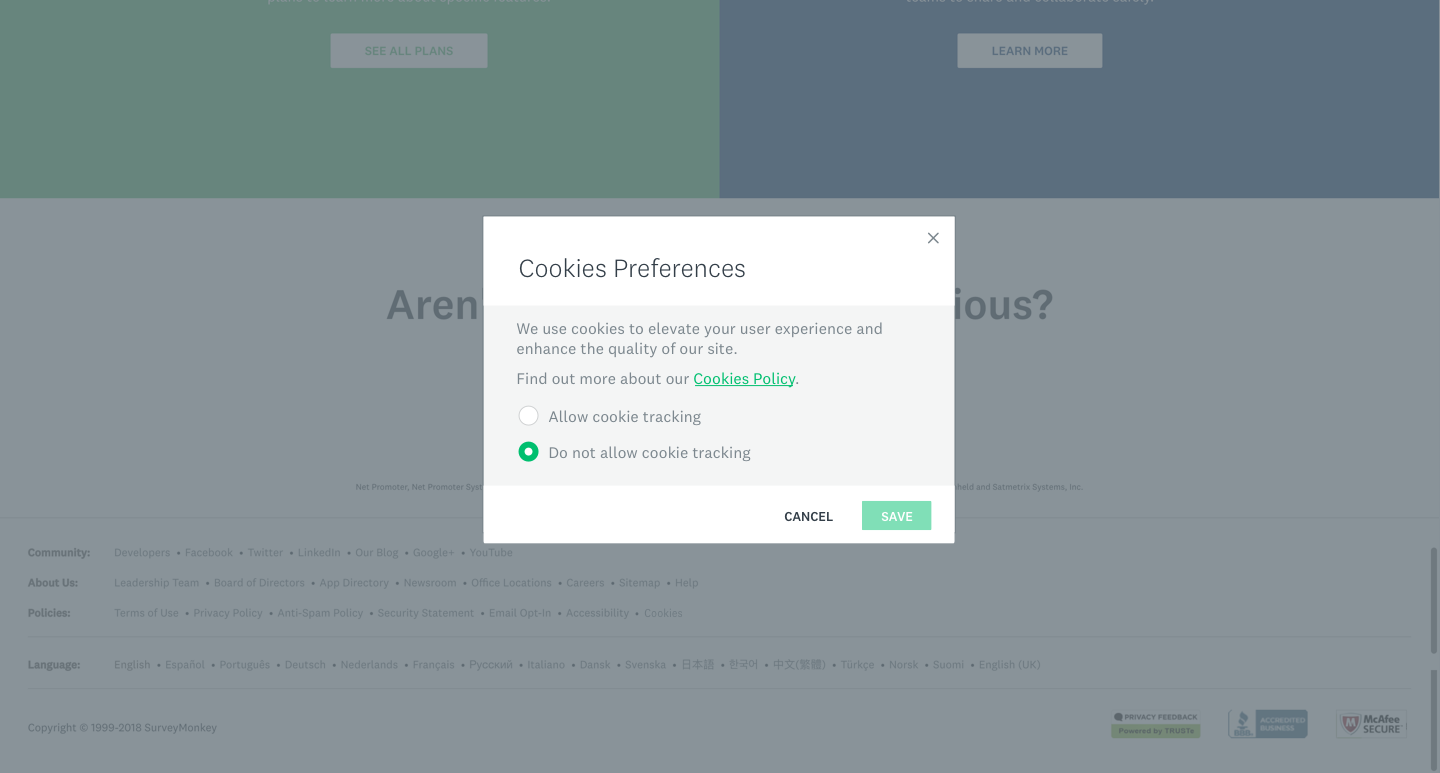
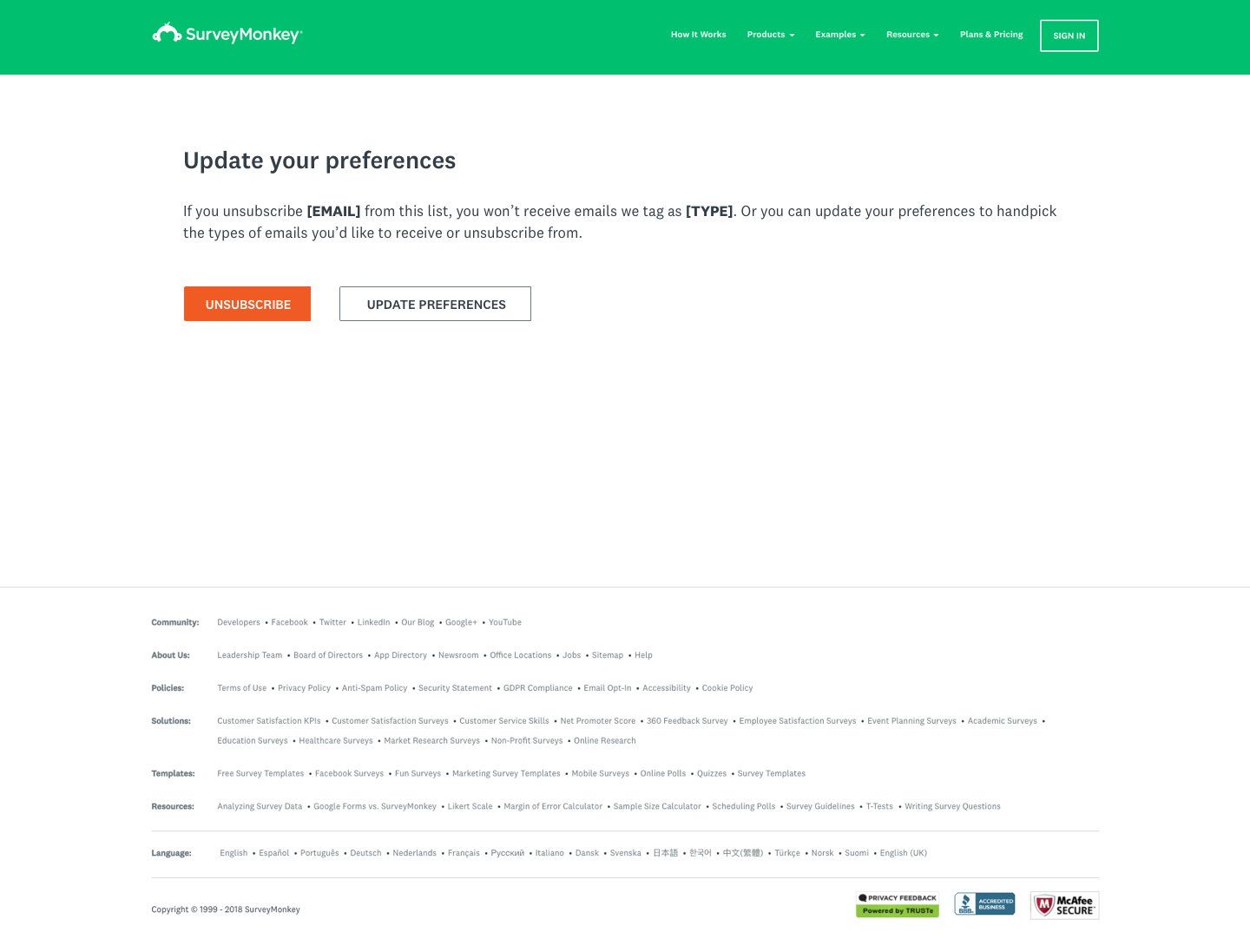
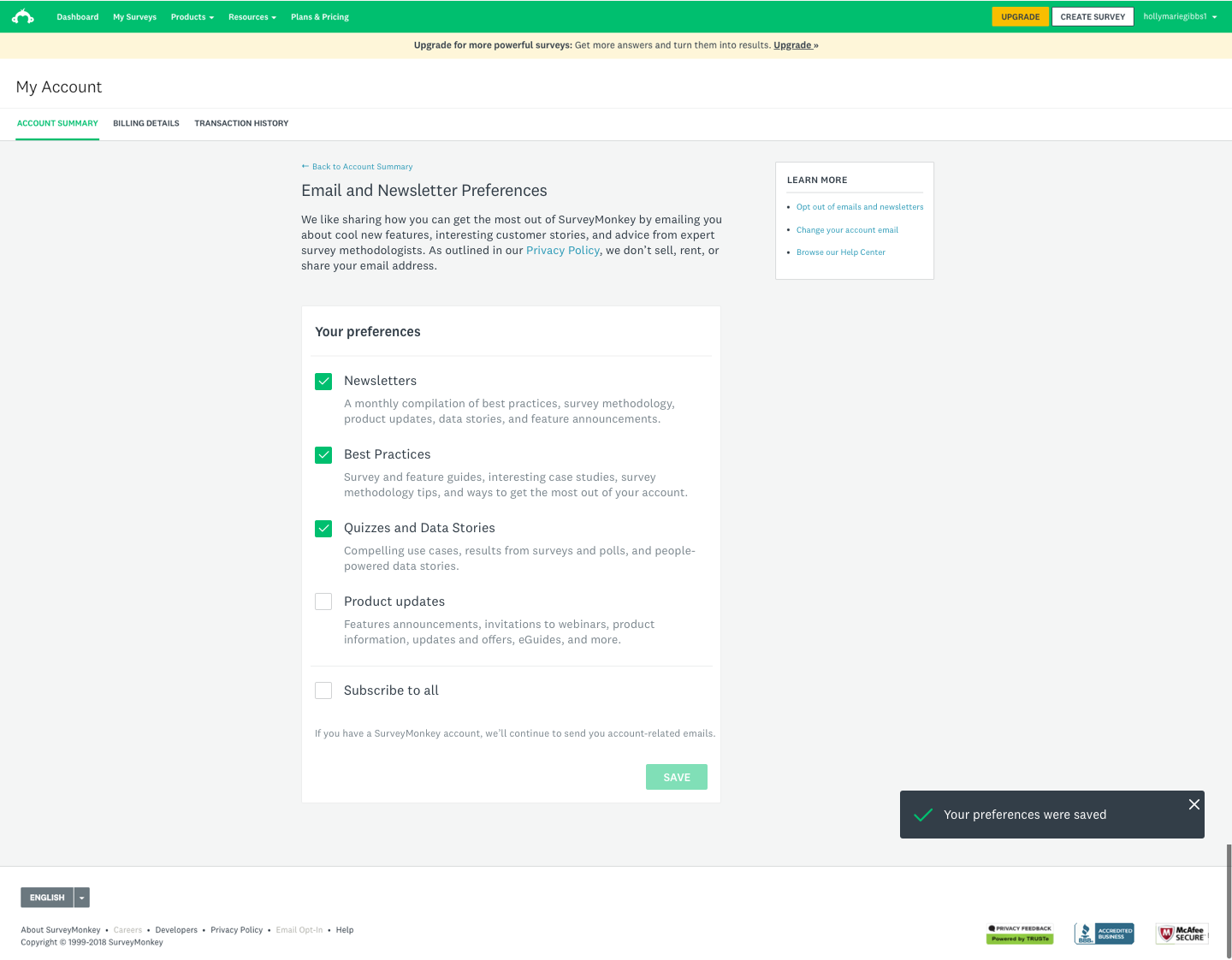
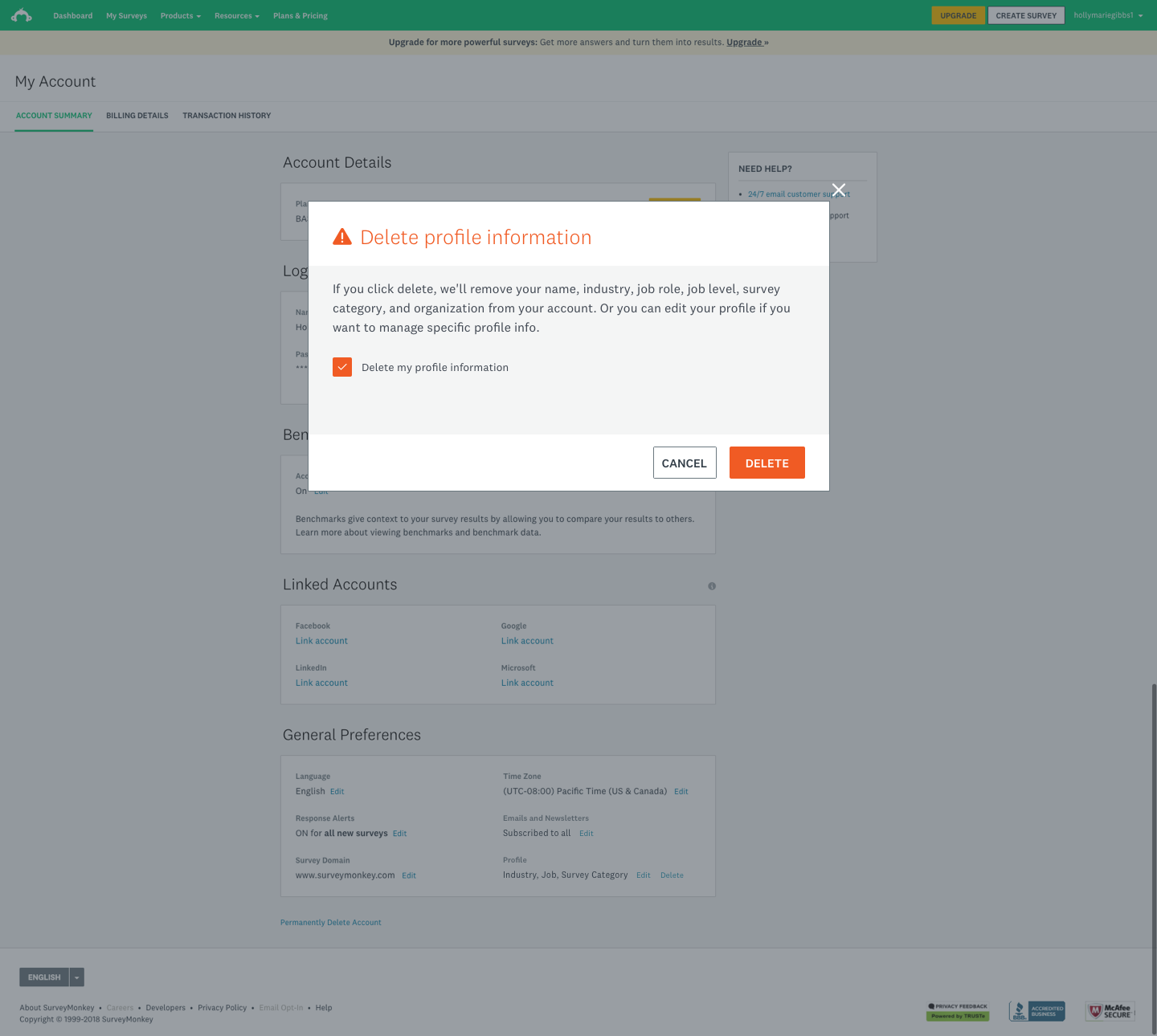
The first phase shipped before the deadline. A cookie banner for signed-out and signed-in visitors, plus a Cookies link in the footer that opens a short preferences modal — allow tracking or don't — so the choice can be changed later. A one-click path from any marketing email to a page that lets you unsubscribe from that list or manage everything. Email preferences in My Account, grouped by the kind of email rather than internal list names, with a plain note that account emails would keep coming. And a way to delete your profile information (name, industry, job level, role and organization) behind a confirmation that spells out exactly what gets removed.
We were compliant by the deadline.
I also mapped how survey respondents could ask for their answers to be deleted or corrected. The existing path ran through support tickets. The proposal sent the request to the survey owner, who could delete, edit or suspend a response directly.
Testing the second version
The second phase came after launch. I redesigned the preferences page around toggles, each with a one-line description of what that email actually is, and an option to unsubscribe from everything. Then I tested two open questions with users: should a toggle save instantly or ask first, and does the save button belong above the list or below it?
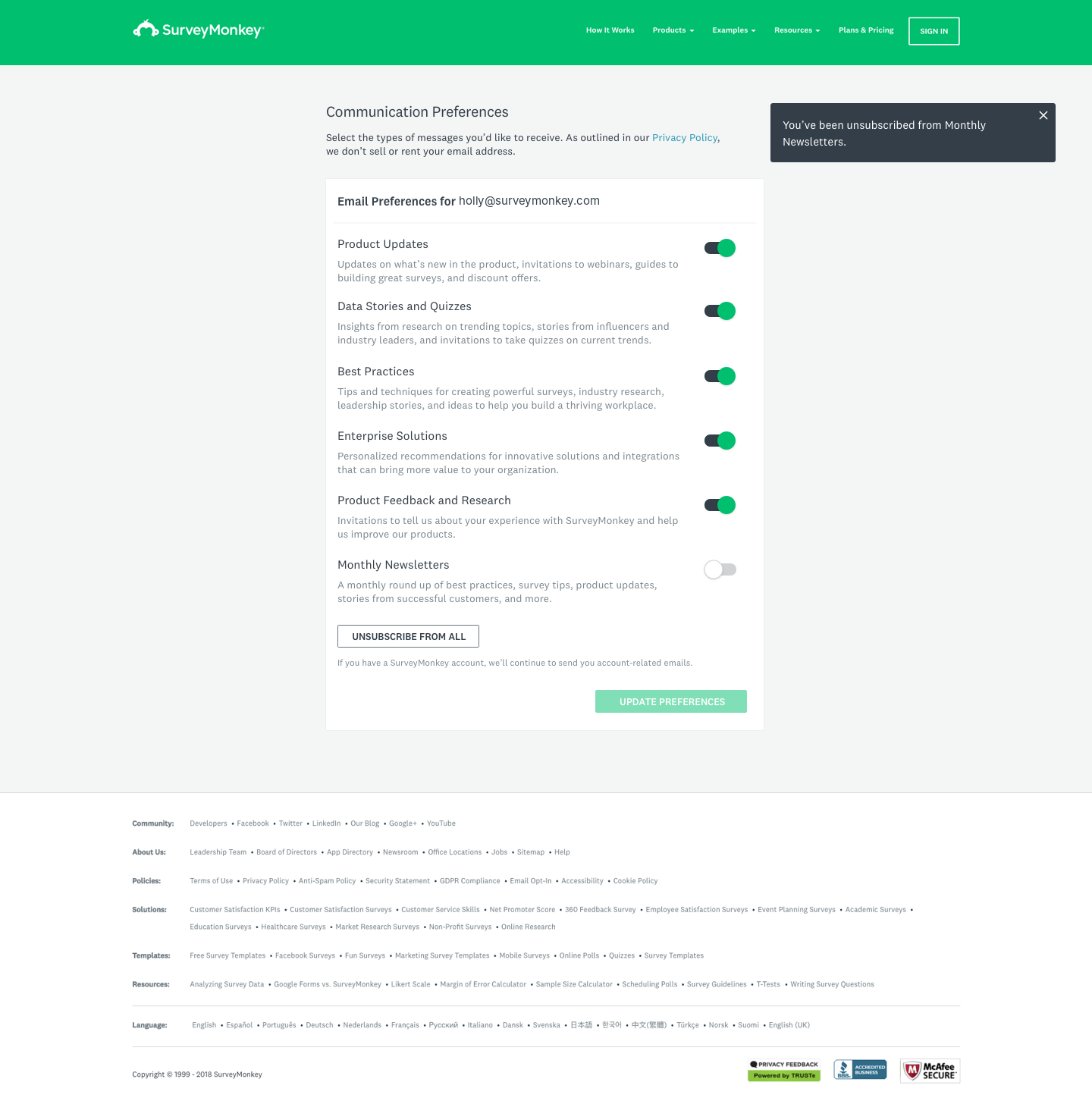
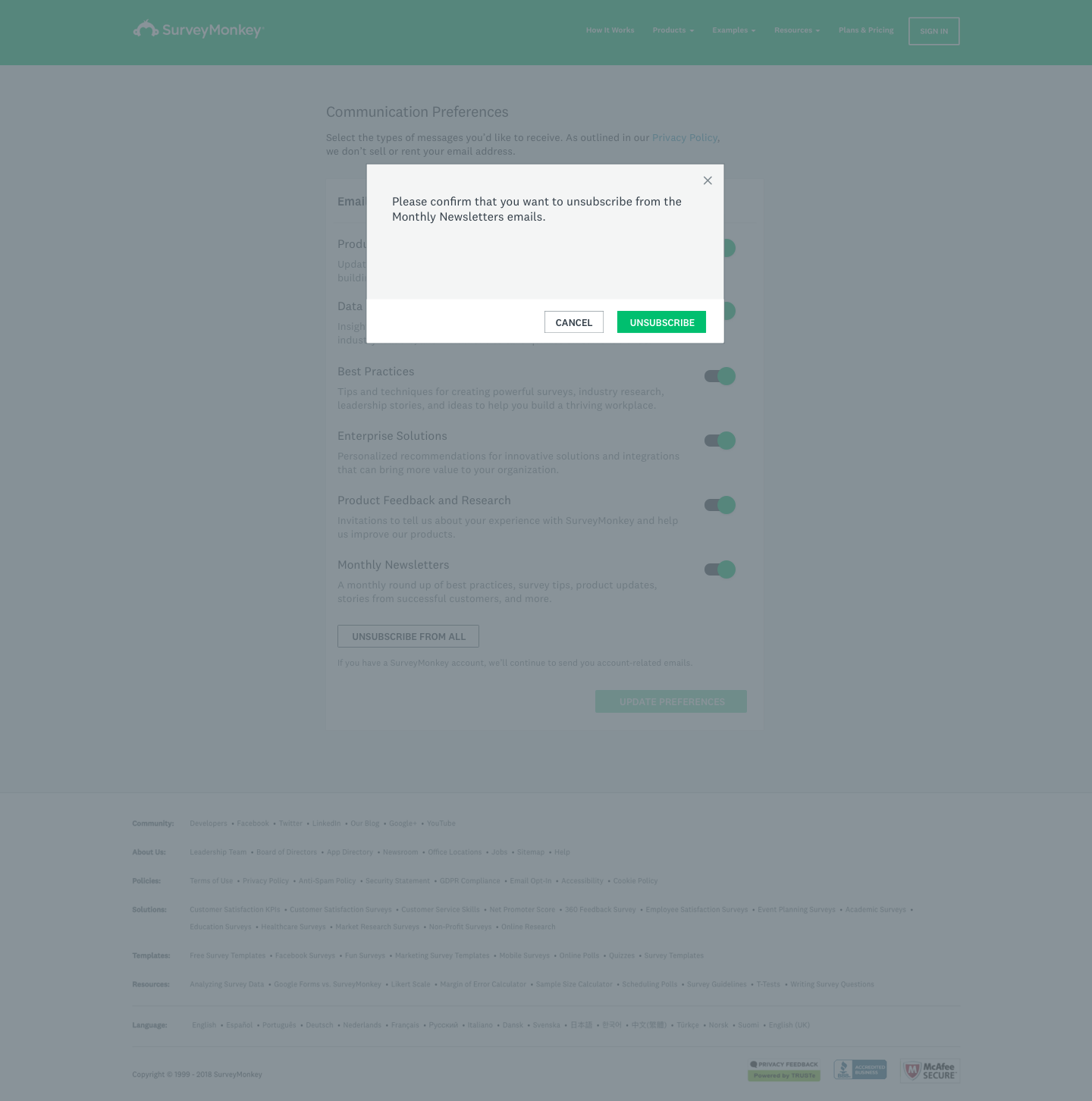
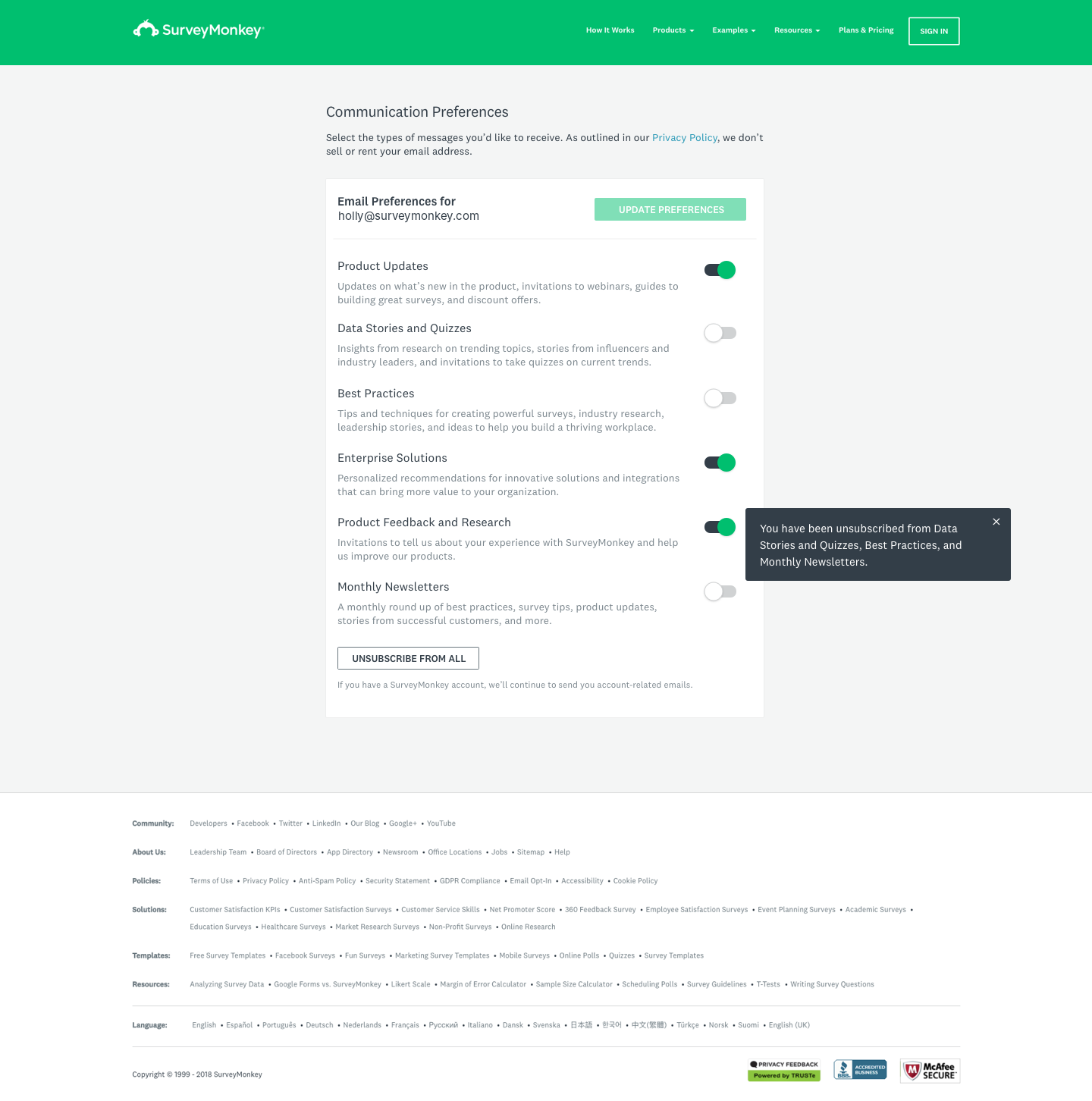
Four of five people preferred the confirmation, three of five wanted the button at the top, and people liked the switches. The final design confirms each unsubscribe, puts the update button at the top, and ends every change with a message naming exactly which emails you've stopped getting.
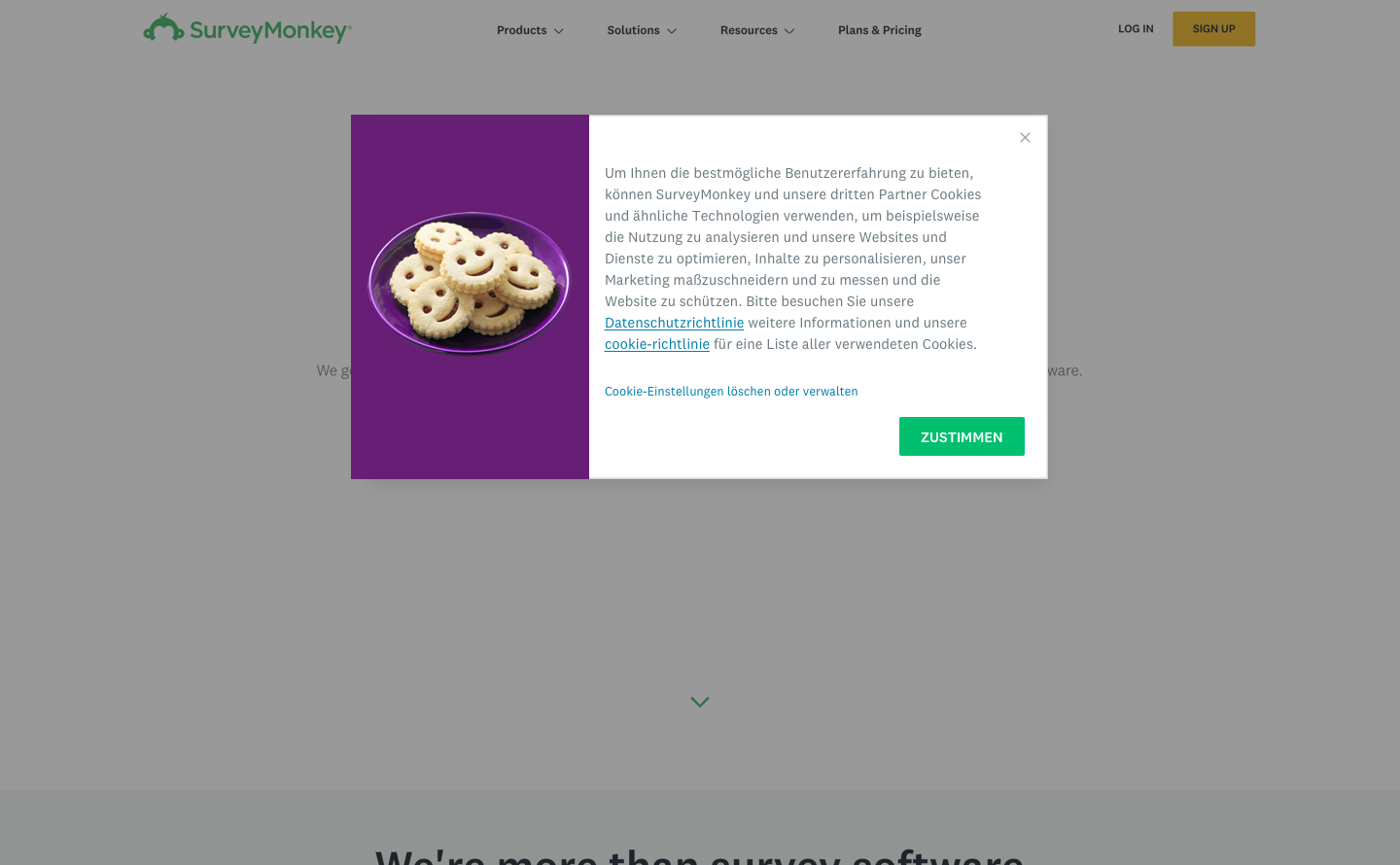
The same thinking carried over to cookies. I designed an experiment testing the existing banner against a side pop-up and an illustrated version across desktop, tablet and mobile, and localized the banner for Germany.
Moving customer data to the EU
European customers had been asking where their survey data lived long before we could do anything about it. When SurveyMonkey opened an EU data center, existing customers needed a way to move their data there without calling support and without losing responses mid-collection.
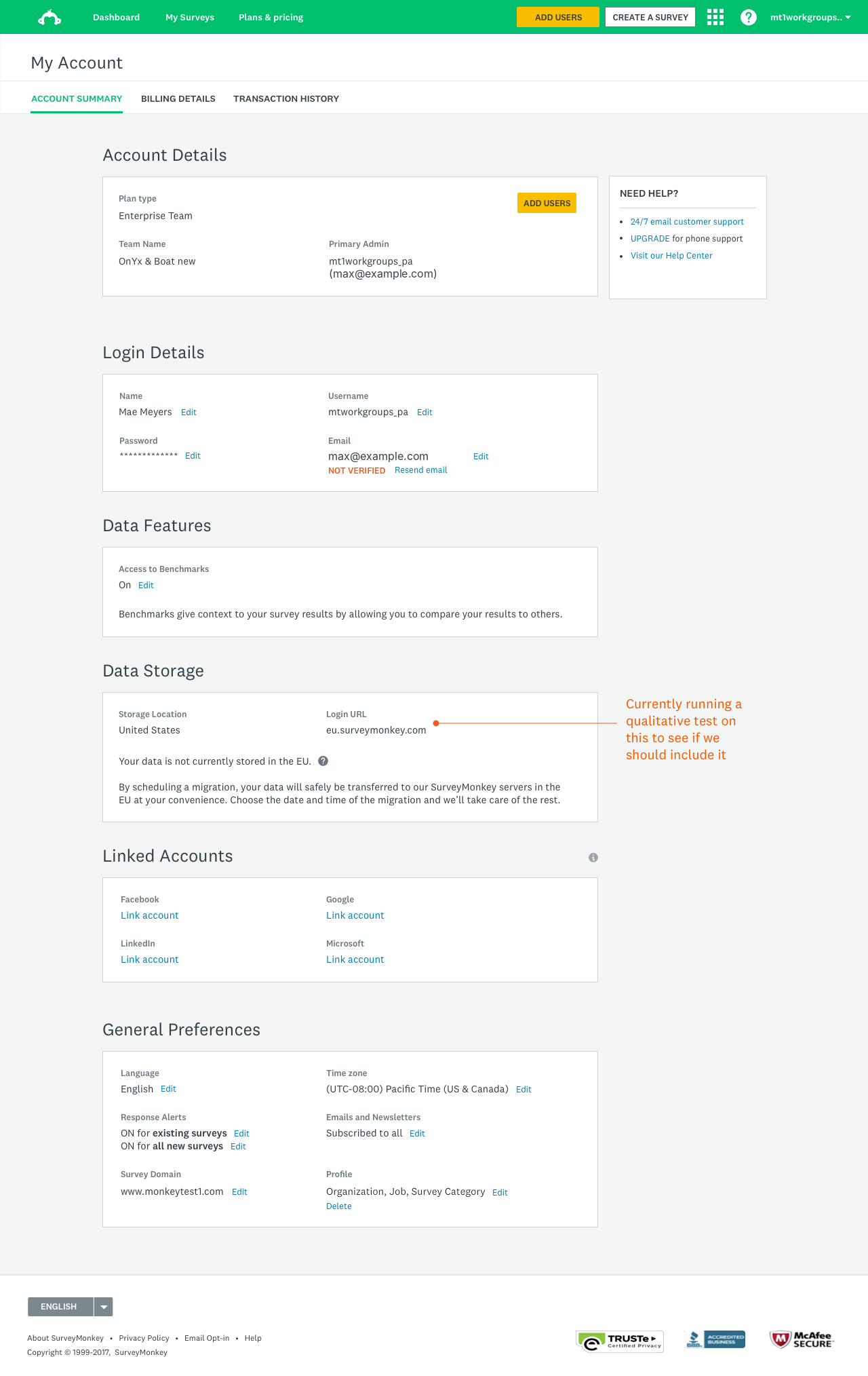
I designed the migration as something people schedule themselves. A new Data Storage section in My Account shows where your data lives today, in plain words: "Your data is not currently stored in the EU." From there you pick a date and time, and the system handles the rest.
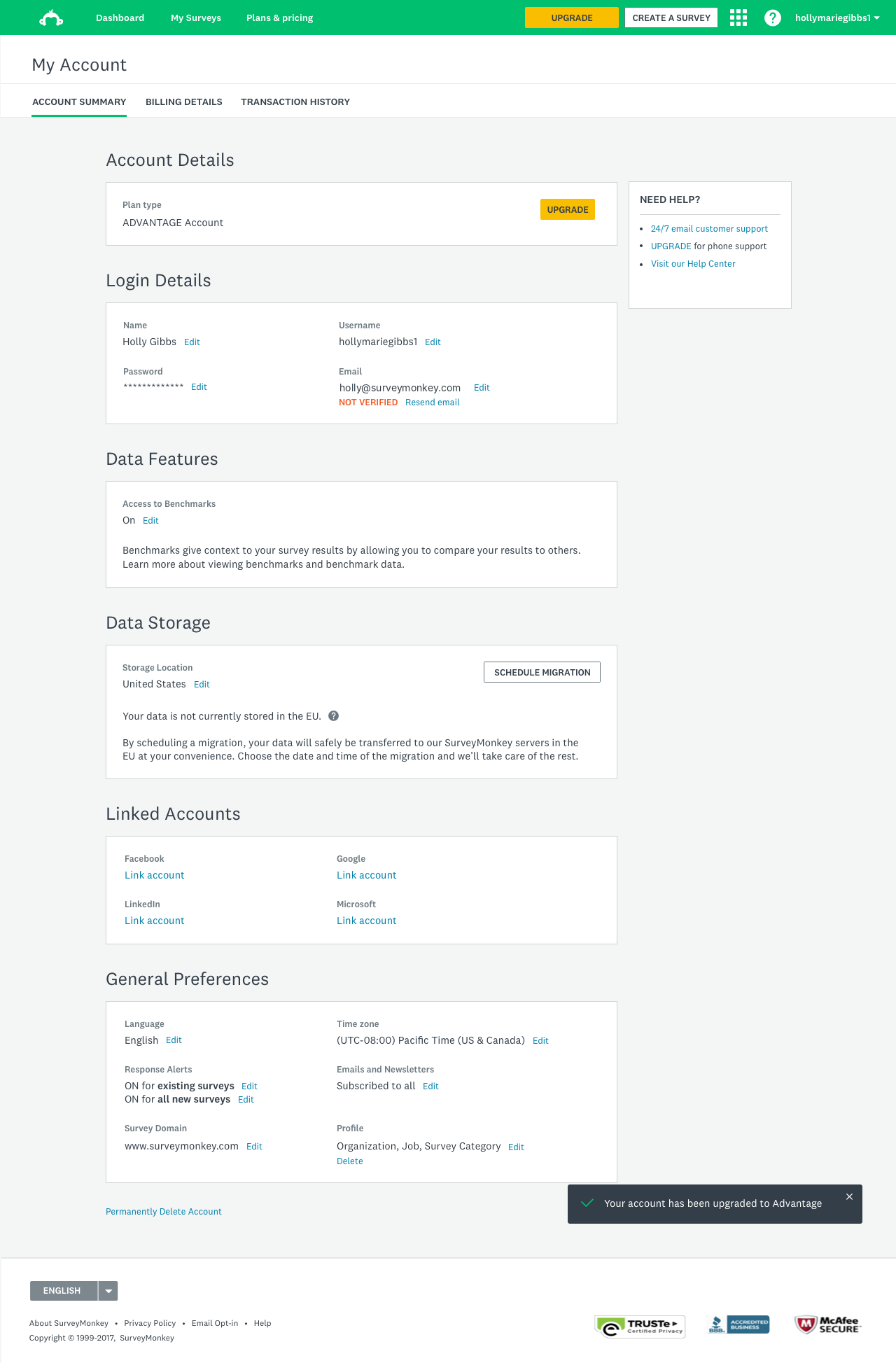
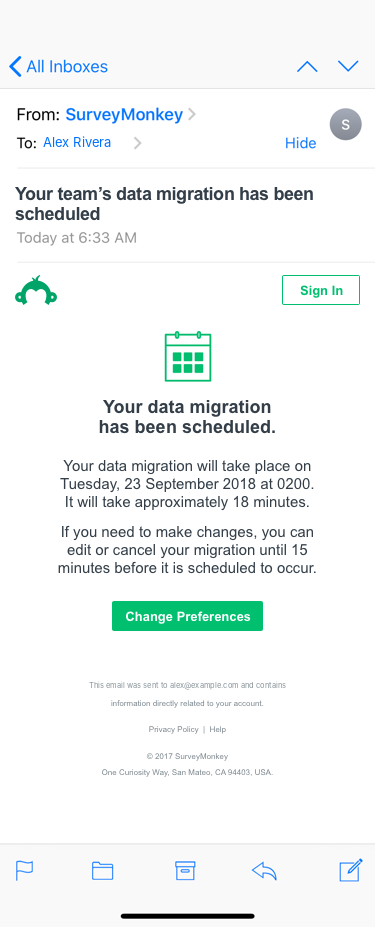
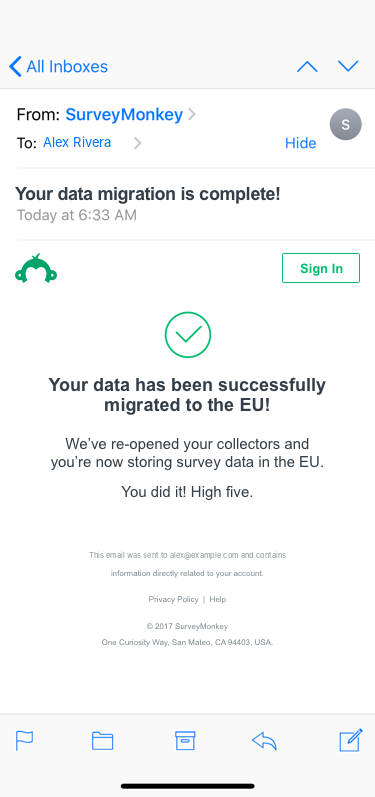
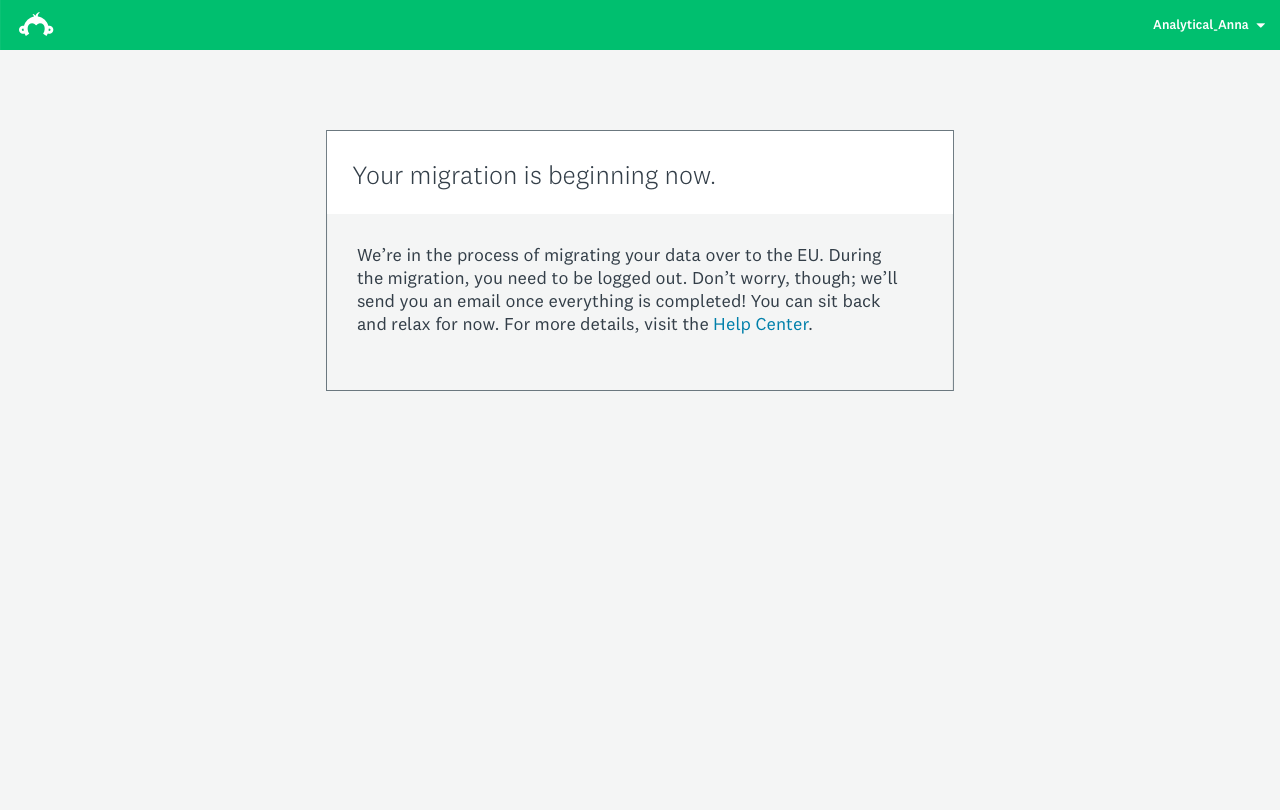
The hard part was the downtime. Migrating meant logging people out and pausing their collectors, which could feel like something had broken. So every step says what's happening and when. The scheduling email gives the date, the expected length (about 18 minutes) and how long you can still change your mind. The page shown during the migration tells you why you've been logged out and that an email is coming. The completion email confirms your collectors are open again.
Team and Enterprise accounts needed more: an admin schedules the move for everyone, and other members need to know it's coming. I designed versions for individual, Teams and Enterprise admin accounts. We also ran a qualitative test on whether to show the new EU login address in the Data Storage section.
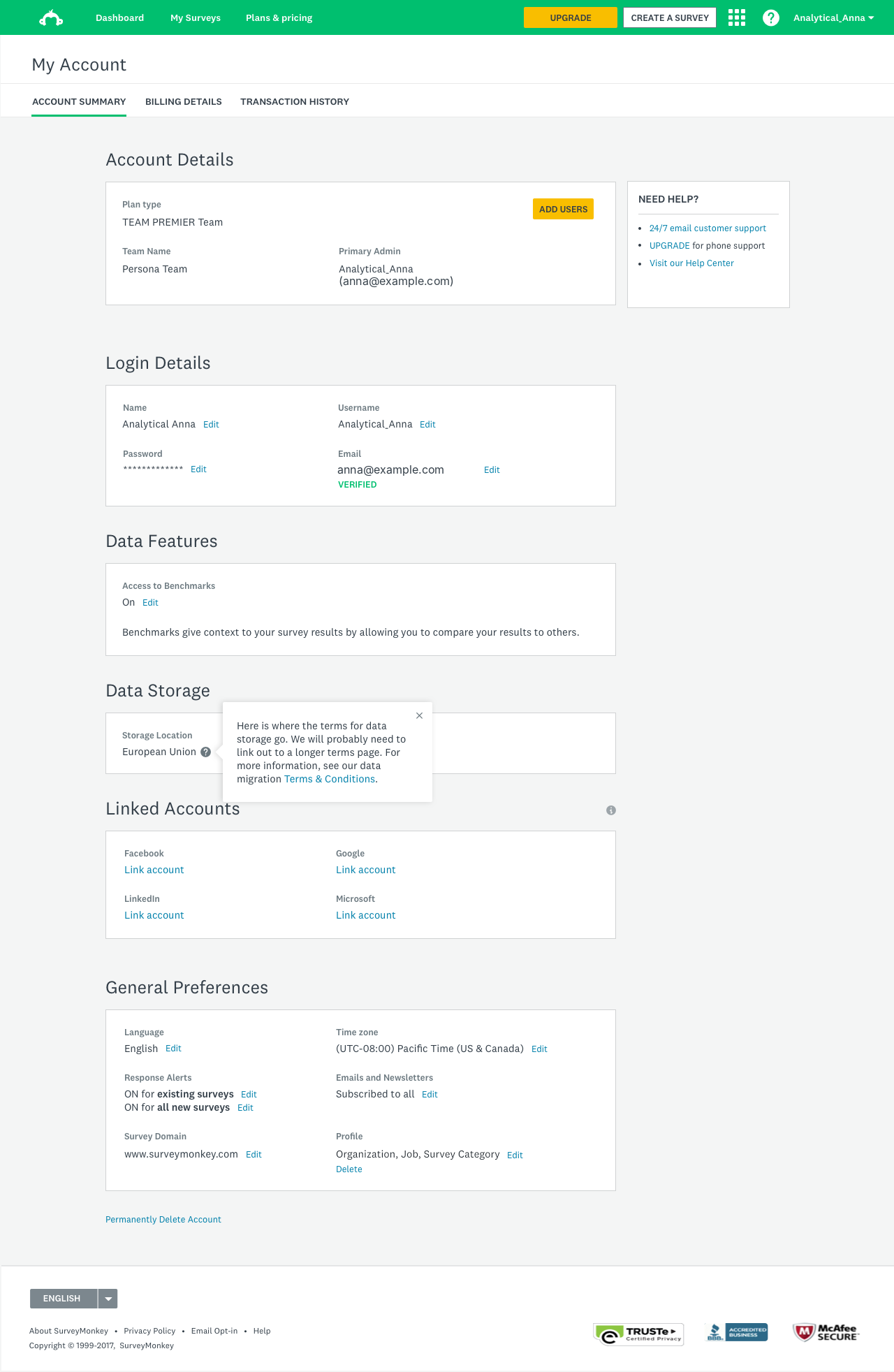
I left before self-serve migration launched.
Looking back
The need was there before the law. In a Wufoo strategy workshop the summer before, customers were already asking where their data was stored and how to turn off marketing emails. And research in Europe in early 2019 found that GDPR compliance read as a reassurance people expected, not a feature.